
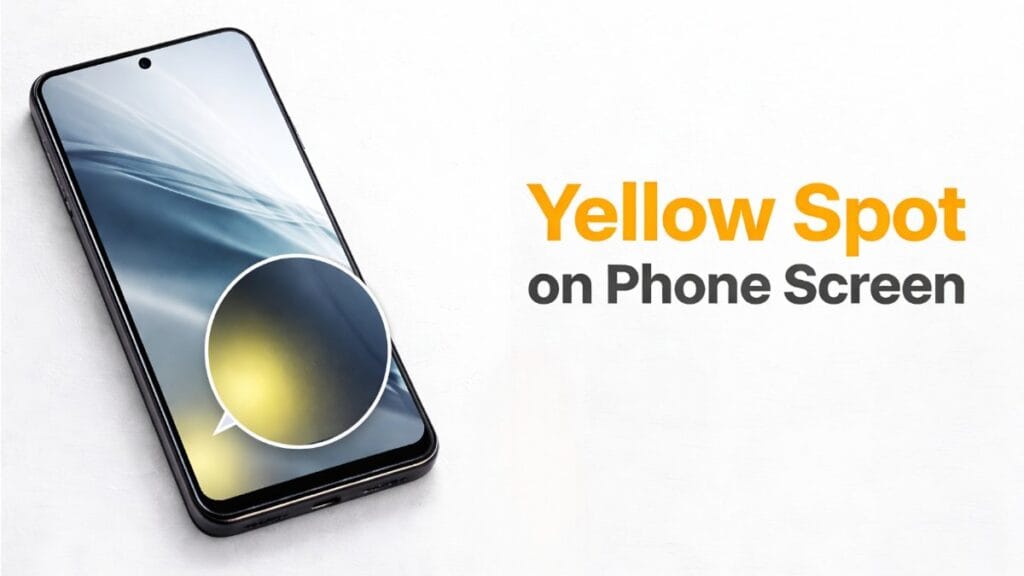
If you’re reading this article, it could mean your device has also spotted yellow sports or yellow tint update. There’s no need to panic, as this article will fully explain why this problem occurs. We’ll discuss in detail how to fix it, or how to troubleshoot it.
This has been a major issue with Xiaomi, Redmi, and Poco devices for the past few months, typically appearing after updates. There’s been a lot of discussion about it on sites like the Xiaomi community, Reddit, but no permanent solution has been found. So, in this article, we’ll provide complete information about it and, as mentioned, try to resolve it in 5 minutes.
In this guide, we’ll discuss step-by-step how to fix it. Under what circumstances you might need to visit a service center. What steps should be taken to avoid such a problem in the future. And what real user experiences say about this problem. We’ll discuss all these things and do our best to provide you with complete information.
Why Yellow Spot on Phone Screen Xiaomi (Redmi and Poco)
There could be many reasons behind this, but let’s highlight the major issue. It could be due to a hardware issue, which is very unlikely. Most of the time, this problem is due to software and display calibration issues.
- Reading Mode and Eye Comfort Shield: Many users turn on Reading Mode, which results in a warm color temperature, which appears to have a yellow tint.
- Color Calibration Bad After Software Update: This is quite real, but sometimes it can also be due to the color profile being reset after an update.
- Third-party screen protector glue: Sometimes, yellow spots appear after applying a protector, which may be caused by applying a third-party protector.
- Overheating and prolonged high brightness: If an AMOLED panel is exposed to high brightness for extended periods, a temporary tint may appear.
- Rare cases: Sometimes, after manufacturing or updating an AMOLED panel, a problem with the motherboard may occur, which can also cause this issue.
5-Minute Fix (step-by-step guide)
- Reading mode issue: If you go to the phone’s settings and select the Reading mode option in the Display option, turning it off will resolve this issue.
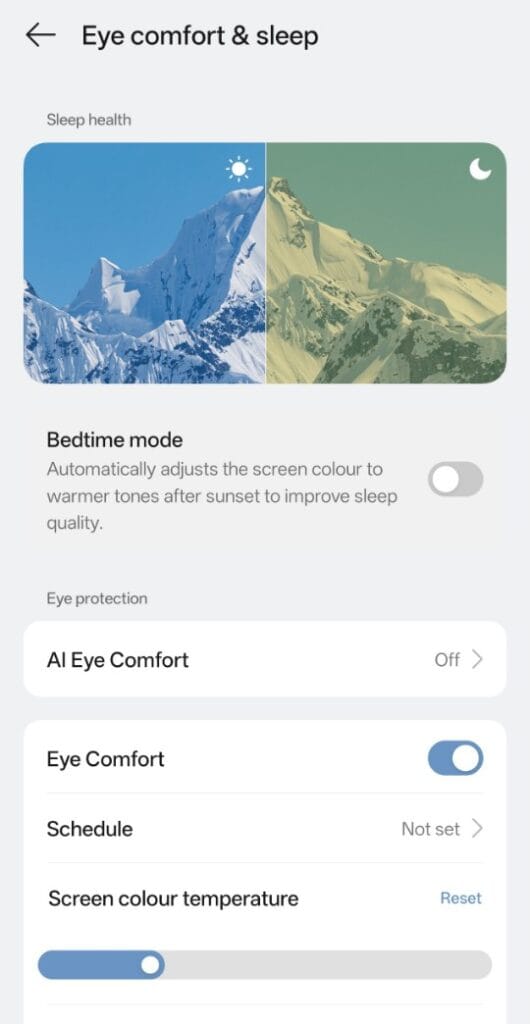
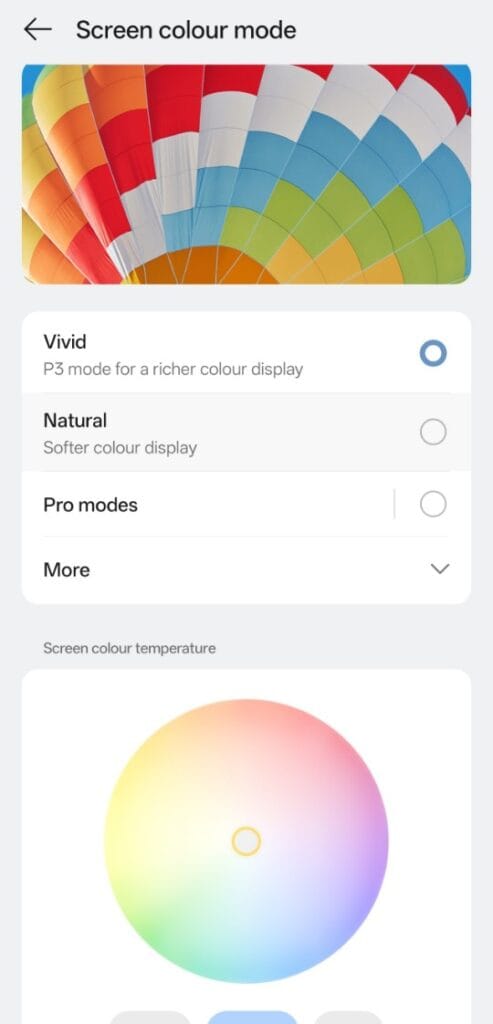
2. Color schemes and temperature fix: Setting the color temperature setting to standard can also fix this issue. To do this, go to the Display option in Settings and you will find an area for the color scheme where you can fix it to standard.
3. Safe mode check: To do this, first long-press the power button, turn off the power, and then restart in Safe mode. If Xolo isn’t supported in Safe mode, it’s a positive sign; there’s a 99% chance it’s a software issue. However, if this yellow tint is visible even in Safe mode, it means there’s a hardware problem (a solution for that is also provided below).
4. Developer options fix: First, go to About Phone, type your build version seven times, and enable Developer options. Go to Developer options:
Disable HW overlays → On
Force GPU rendering → On
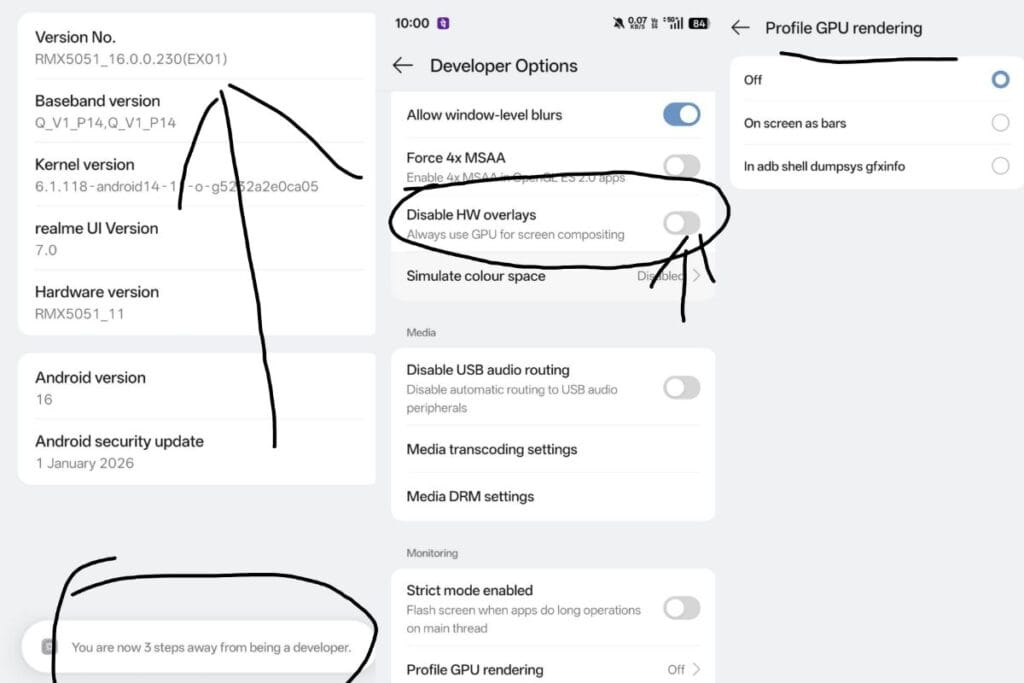
Restart after turning on these two options.
Last step: Factory reset: If the problem still persists, take a backup and factory reset the phone. Applying this option resolves the problem for 90% of users.
If the problem persists after applying all these options, it could be a hardware issue. If your phone has a hardware issue, you’ll need to visit a service center. If it’s covered under warranty, it may be free to replace it, otherwise, it may cost money.
How to safe for future
If any of the above methods resolves the issue, and you want to avoid this problem in the future, follow the advice below:
- Enable Reading modes only when necessary, otherwise keep them off.
- Avoid third-party screen protectors and use original, good-quality ones instead.
- Don’t leave your phone on full brightness for extended periods.
- Don’t install the update immediately after a new update is released (check reviews and user feedback on YouTube or other websites first).
FAQ
Q. Is the Yellow Spot permanent?
A. In 10% cases the software fix-a goes away.
Q. How much does it cost at a service center?
A. Free if there is warranty. If not, screen replacement will cost according to part requirment.
Q. How to understand whether AMOLED burn-in has happened?
A. Safe Mode - If there is a spot and clearly visible on the gray background, then the possibility of burn-in is high.